If you run MODFLOW again, you can plot the tracks from PRT to see how the differ from the previous tracks.
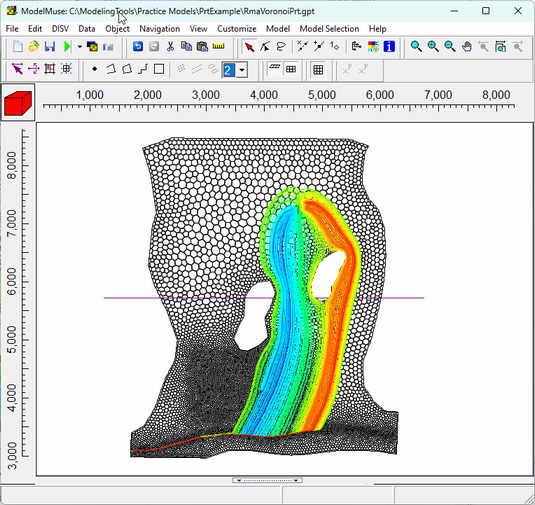
Screen capture of the main ModelMuse window showing the PRT tracks.
If you wish, you can estimate a new hydraulic conductivity distribution with PEST. If you wish to do this, you can deactivate the PRT model for the purposes of parameter estimation and then activate it again after the the parameter estimation is done. There are no observations with PRT models, so all the PRT model will do during parameter estimation would be to make the parameter estimation process take longer. To deactivate the PRT model, go to the Model|MODFLOW Packages and Programs dialog box and uncheck the checkbox next to the model name.
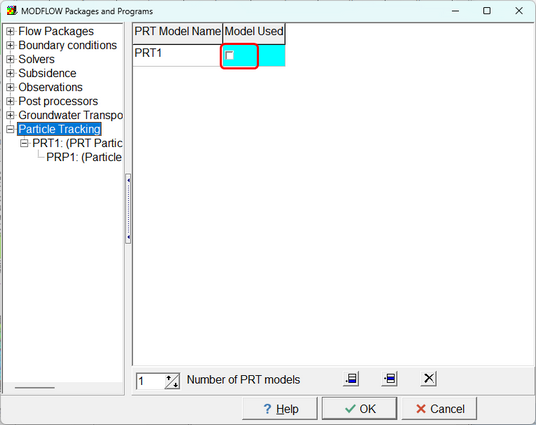
Screen capture of the MODFLOW Packages and Programs dialog box showing the PRT model deactivated but with all the information about it retained in ModelMuse.
The estimated hydraulic conductivity looks similar to the one from the quadtree refined model. The updated hydraulic conductivities are in the data set RmaVoronoiPrt_Kx_1.
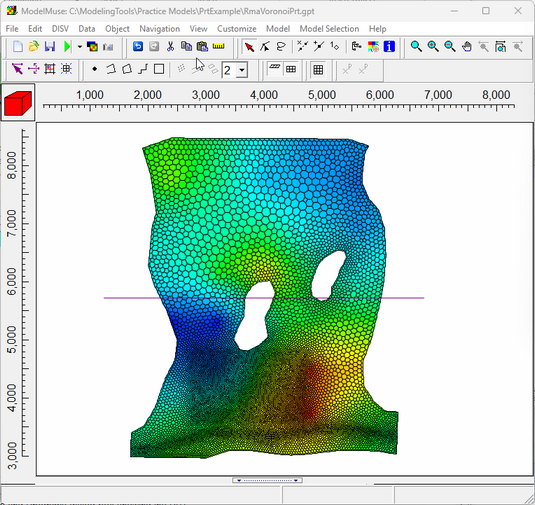
Screen capture of the ModelMuse main window showing the estimated hydraulic conducitivity distribution when using the Voronoi mesh version of the model.
The particle tracks also look similar.
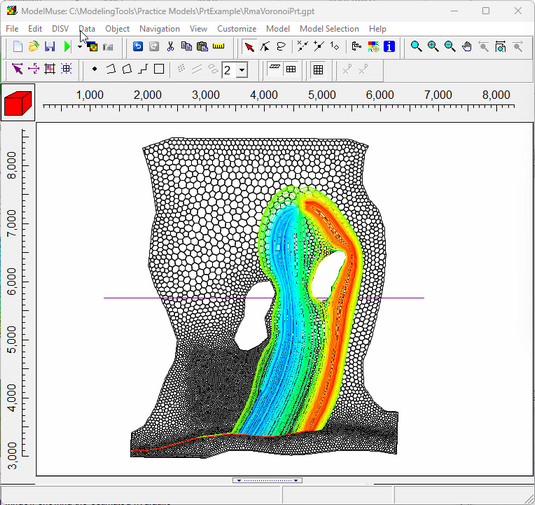
Screen capture of the ModelMuse main window showing the particle tracks after the updated hydralulic conductivities were used in the model.
